Search Google or Type a URL: What Does It Mean and What to Use
Understand the difference between searching and typing a URL in your browser's address bar. Learn technical tips, browser settings, and how this impacts SEO and privacy.
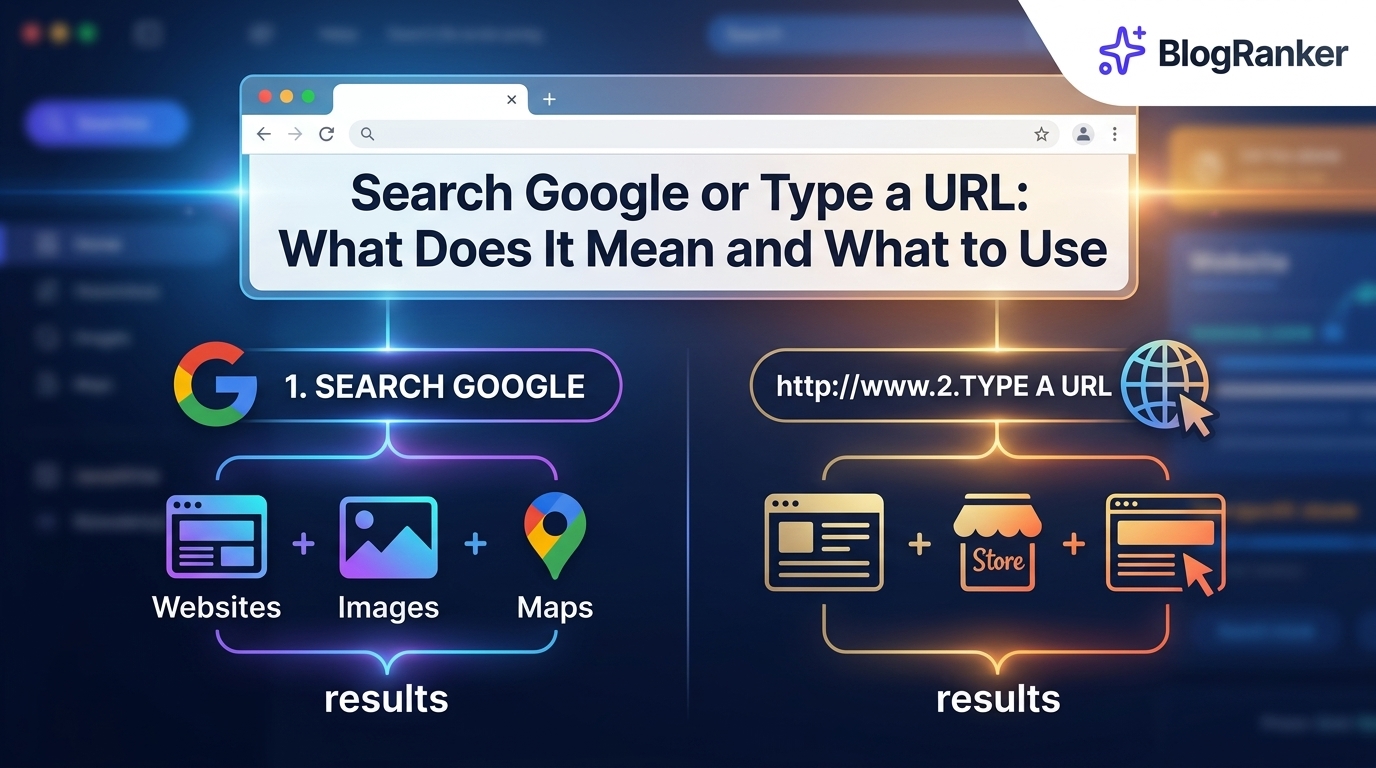
Every time you open a new tab, a small grey prompt sits in the address bar: Search Google or Type a URL. While it looks like a simple instruction, this prompt represents one of the most significant shifts in how humans interact with information. For decades, the address bar was purely for navigation, but today it functions as a gateway to the entire internet, an AI assistant, and a direct line to your favorite websites.
Understanding the mechanics of this bar helps you browse faster, protect your data, and understand how search engines view your website. This guide breaks down the technical differences between these two actions and how you can optimize your browser settings for maximum efficiency.
Table of Contents
- Search Google or Type a URL Explained
- What Is a URL
- Why Your Browser Shows Search Google or Type a URL
- How Your Browser Knows to Search vs Navigate
- What Happens When You Start Typing in the Address Bar
- When Should You Search vs Type a URL
- How to Fix Browser Address Bar Problems
- How to Change Your Browser Settings
- Browser Address Bar Tips and Shortcuts
- How Browser Search Behavior Affects Your SEO
- How Outrank Agency Helps You Rank for More Searches
- Frequently Asked Questions
Search Google or Type a URL Explained
The phrase Search Google or Type a URL is the default placeholder text in the Chrome address bar, often referred to as the Omnibox. In older versions of web browsers, there were two distinct boxes: one for the website address and one for the search engine. Modern browsers combined these into a single input field to simplify the user experience.
When you see this message, the browser is telling you that the box can handle two different types of requests. If you type a specific web address like blogranker.ai, the browser will take you directly to that site. If you type a question like "how to start a blog," the browser will send that query to your default search engine and display a page of results. This dual functionality is why 9 free SEO tools for beginners to audit their website rankings successfully are often found via the search function rather than direct navigation.
If you are interested in building digital assets while you browse, you can use tools like the Free AI Coloring Book Generator For KDP To Create Best Selling Books Fast to turn your creative ideas into passive income streams.
What Is a URL
A URL, or Uniform Resource Locator, is the unique address of a specific web page or file on the internet. Think of it as a digital physical address. It tells your browser exactly where to go without having to ask a search engine for directions. A standard URL consists of several parts: the protocol (http or https), the domain name (google.com), and the path (specific pages or folders).
When you type a URL, you bypass the search results page entirely. This is the fastest way to access a site if you already know where you want to go. For entrepreneurs, understanding how users type URLs is vital for branding. If your brand name is easy to spell, people are more likely to type it directly into the bar, increasing your direct traffic. For those just starting out, learning how to launch a SaaS product with no audience often involves making sure your URL is memorable and easy to type.
Why Your Browser Shows Search Google or Type a URL
Browsers display this message to reduce friction. Most people do not know the exact URL of every site they visit. By allowing the address bar to serve as a search engine, browsers ensure that a user never hits a "dead end." If the browser didn't have this feature, typing a misspelled word into the address bar would result in a "Server Not Found" error rather than a helpful list of suggested sites.
This design also benefits the browser companies. For instance, Google Chrome defaults to Google Search. Every time you search via the Omnibox, Google collects data on what you are looking for, which helps them refine their advertising algorithms. This data collection is a key reason why many users look for ways to optimize their website for Google AI overviews to increase visibility, as the browser itself is the first point of contact for these AI-driven answers.
Many tools now simplify these complex workflows. For example, the Free AI Coloring Book Generator For KDP To Create Best Selling Books Fast allows you to bypass complex design software by using simple prompts within your browser interface.
How Your Browser Knows to Search vs Navigate
Browsers use a complex set of rules to determine whether your input is a URL or a search query. This process happens in milliseconds. The browser typically looks for specific indicators that define a URL. These include the lack of spaces, the presence of a top-level domain (like .com, .org, or .ai), and specific protocols like "https://".
If you type a single word without a dot, like "marketing," the browser assumes it is a search query. However, if you type "marketing.com," the browser recognizes the TLD and attempts to navigate to that server. This logic is why it is helpful to find low competition keywords with high traffic that might look like URLs but are actually popular search terms. The browser acts as the first filter for human intent.
Launching a new site requires a similar understanding of how traffic flows. If you are learning how to launch a SaaS product with no audience, you need to ensure your domain name doesn't get confused with common search terms in the Omnibox.
What Happens When You Start Typing in the Address Bar
The moment you press a key in the address bar, the browser initiates several background processes. It checks your local browsing history and bookmarks to see if you have visited a similar site before. It also sends the keystrokes to your default search engine to generate "Search Predictions." These predictions are based on popular searches and your personal search history.
This behavior is highly efficient but raises privacy concerns. Every letter you type is essentially being shared with the search engine provider in real-time. This is how the browser provides the "instant" feel. Modern SEO strategies often rely on these predictions. For example, using ChatGPT vs Google Gemini for generating high ranking SEO keywords for blogs can help you identify which terms are most likely to appear in those auto-complete suggestions.
| Feature | URL Navigation | Search Query |
|---|---|---|
| Speed | Instant (Direct to site) | Slower (Shows results page) |
| Privacy | High (Direct server request) | Low (Data sent to search engine) |
| Accuracy | Requires exact spelling | Forgiving of typos |
| Discovery | Accesses known content | Finds new content |
When Should You Search vs Type a URL
Knowing when to use each method can save you time. Use the search function when you have a general question, need to compare products, or are looking for a specific piece of information. Search is for discovery. For instance, if you are researching 7 proven strategies to get your business recommended by Claude and ChatGPT, you would use the search bar to find the relevant articles.
Type the URL when you know exactly where you are going. This includes banking sites, email providers, or your own website dashboard. Typing the URL directly is safer for sensitive sites because it prevents you from accidentally clicking on a phishing link that might appear in search results. If you are trying to launch a SaaS product with no audience, encouraging your core users to bookmark your URL is a great way to ensure direct traffic.
How to Fix Browser Address Bar Problems
Sometimes the address bar doesn't behave as expected. You might type a valid URL, but the browser insists on searching for it instead. This often happens if there is a space at the beginning of the URL or if the TLD is unusual (like .app or .dev) and not yet recognized by the browser's local database.
Another common issue is when your default search engine changes without your permission. This can be caused by browser extensions or malware. If your browser suddenly switches from Google to a search engine you don't recognize, you should check your extension list immediately. Fixing these small errors is a part of maintaining a healthy site, much like following 5 simple technical SEO steps to fix crawling errors on your personal website.
If you find yourself stuck in a loop of browser issues, you might want to spend your time more productively by using the Free AI Coloring Book Generator For KDP To Create Best Selling Books Fast to build your Amazon KDP business.
How to Change Your Browser Settings
Every major browser allows you to customize how the address bar functions. You can change the default search engine, turn off search suggestions, or manage your history to improve the accuracy of the predictions.
Chrome
In Chrome, you can navigate to Settings > Search Engine. Here, you can select between Google, Bing, Yahoo, or DuckDuckGo. You can also click on "Manage search engines and site search" to add custom shortcuts for specific websites.
Firefox
Firefox is known for privacy. Go to Settings > Search. You can choose to show search suggestions in address bar results or disable them entirely if you don't want your keystrokes sent to a server. This is a vital step for those who value data sovereignty while they launch a SaaS product with no audience.
Microsoft Edge
Edge uses Bing by default. To change this, go to Settings > Privacy, Search, and Services > Address bar and search. You can change the search engine used in the address bar to Google or any other provider you prefer.
Safari on Mac
On a Mac, open Safari and go to Settings > Search. You can toggle "Include search engine suggestions" and "Safari Suggestions." Safari also offers a "Quick Website Search" feature that allows you to search specific sites directly from the bar.
Browser Address Bar Tips and Shortcuts
To become a power user, you should use keyboard shortcuts. These allow you to navigate without touching your mouse, which is essential for high-productivity tasks like SEO auditing.
- Ctrl + L (Windows) or Cmd + L (Mac): Instantly highlights the text in the address bar so you can type a new URL or search term.
- Ctrl + Enter: Automatically adds "www." to the beginning and ".com" to the end of whatever you have typed.
- Alt + Enter: Opens your search result or URL in a new tab instead of the current one.
- Type a site name + Tab: Many browsers allow you to search a specific site directly. For example, type "youtube.com" then hit Tab, and you can search YouTube's database without leaving the address bar.
Using these shortcuts makes it much easier to manage multiple tasks, such as checking 9 free SEO tools for beginners to audit their website rankings successfully while simultaneously monitoring your site traffic.
If you are managing a busy workflow, using the Free AI Coloring Book Generator For KDP To Create Best Selling Books Fast can save you hours of manual design time.
How Browser Search Behavior Affects Your SEO
For business owners and marketers, the behavior of the address bar is critical. A large portion of "direct" traffic in your analytics might actually be people typing your brand name into the address bar and hitting enter, which triggers a search. If you don't rank #1 for your own brand name, you are losing customers at the final step of their journey.
Furthermore, the rise of Generative AI means the address bar is becoming smarter. It doesn't just suggest websites; it provides answers. This makes it vital to understand how to optimize your website for Google AI overviews to increase visibility. If the browser can answer a user's question before they even hit the search results page, your content needs to be the source of that answer.
This shift toward AI-driven browsing is why many founders are looking for guides on how to launch a SaaS product with no audience that account for AI discovery rather than just traditional SEO.
How Outrank Agency Helps You Rank for More Searches
Managing SEO manually is becoming increasingly difficult as browsers and search engines evolve. Outrank Agency is designed to take the technical burden off your shoulders by automating the content creation and optimization process. Whether you are a SaaS founder or an agency owner, our platform ensures your content is optimized for both traditional search and modern AI interfaces.
By focusing on topical authority and high-intent keywords, we help you capture traffic from users who are typing questions into their address bar. We use advanced algorithms to ensure your site appears in the crucial "Search Predictions" and AI summaries that users see every day.
Outrank Core vs Outrank Agency
| Feature | Outrank Core | Outrank Agency |
|---|---|---|
| Content Volume | 10 Articles / Month | 50+ Articles / Month |
| Keyword Research | Basic | Advanced Niche Research |
| Backlink Strategy | Self-Managed | Fully Managed |
| Reporting | Monthly | Weekly Real-Time |
| Best For | Solo Founders | Scaling Agencies |
Using our system, you can implement AI SEO automation vs manual content writing for ranking on a tight budget and see results much faster than traditional methods. Our goal is to make your website the definitive answer for your niche.
Frequently Asked Questions
Is Search Google or Type a URL a Virus?
No, it is a legitimate feature of modern web browsers like Chrome and Edge. It is designed to make navigation easier by combining the search bar and the address bar into one field.
Why Does Typing Facebook Search Google Instead of Opening Facebook?
This happens because you typed "Facebook" as a search term rather than the full URL "facebook.com". Since there is no dot or TLD, the browser assumes you want to search for the word rather than navigate to the site.
Can I Remove the Search Google or Type a URL Message?
While you cannot remove the placeholder text itself, you can change your homepage settings so that the address bar is already filled with a specific URL when you open a new tab.
Does Typing in the Address Bar Send My Data to Google?
If you have search suggestions enabled, your keystrokes are sent to your default search engine in real-time to generate predictions. You can disable this in your browser's privacy settings.
What's the Difference Between a URL and a Search Term?
A URL is a specific destination (e.g., https://blogranker.ai), while a search term is a general query or keyword used to find information about a topic.
How Do I Search Inside a Specific Website from the Address Bar?
Type the domain (like youtube.com), press Tab, and then type your query. This only works if the website supports the OpenSearch standard and your browser has indexed it.
Can I Use a Different Search Engine Instead of Google?
Yes, you can change your default search engine to Bing, DuckDuckGo, or any other provider in the browser's settings menu under the "Search" section.
What Browser Is Best for Privacy When Using the Address Bar?
Browsers like Brave or Firefox are generally better for privacy as they offer more robust options to disable data sharing and search suggestions compared to Chrome.
Ready to Dominate the Search Bar?
If you want your business to be the first thing people see when they search or type in their browser, you need a strategy that works. Outrank Agency provides the tools and expertise to help you scale your organic traffic without the manual grind. Start your automated SEO journey with Outrank Agency today and turn your brand into a household name.
KEEP READING
Discover more insights and strategies


Scale your traffic today.
Stop wasting hours writing manually. Let BlogRanker generate and publish high-ranking content for you on autopilot.
Try BlogRanker Free